 Salesforce Dev Help
Why You Should Centralize Your Record-Triggered Flows
Anyone who has worked with Salesforce for a while has encountered that "Spaghetti" Org: you try to save an Account and get an error. You fix it, try again, another error. Then you open the Trigger Explorer and see multiple flows for the Account object. What do you do?
The old "One Flow Per Object" rule sounded dogmatic, but it was born out of a real need for survival. Today, with Salesforce updates, the rule has evolved, but the principle remains the same: Governance.
Here is the "what" and the "why."
The Real Problem Isn't the Tool, It's the Order
Salesforce is powerful, but chaotic if you let it be. If you have 5 flows firing when creating a "Contact" (two before save and three after save), you lose control over the Order of Execution.
Without centralizing, you cannot guarantee that "Flow A" (which defines the Country) runs before "Flow B" (which defines the Region based on the Country). The result? Inconsistent data and hours lost trying to debug something that works "sometimes."
Furthermore, we have CPU Limits. Every new Flow that starts is a new interview that Salesforce needs to load. Ten small flows weigh much heavily on the system than one large, well-structured flow.
The Modern Architecture: The "Controller" Model
We no longer need to be radical and have just one giant file. The best approach today is to think in terms of Entry Points.
The current recommendation is to have, at most, three "parent" flows per object:
-
Before Save (Fast Field Updates): This is where you change fields on the same record. It is 10x faster. If the record hasn't been saved to the database yet, use this.
-
After Save (Actions & Related): The record has already been saved. Use this to create Tasks, send emails, or update other objects.
-
Before Delete: To tidy up the house before the record is erased.
The Secret: Use Subflows
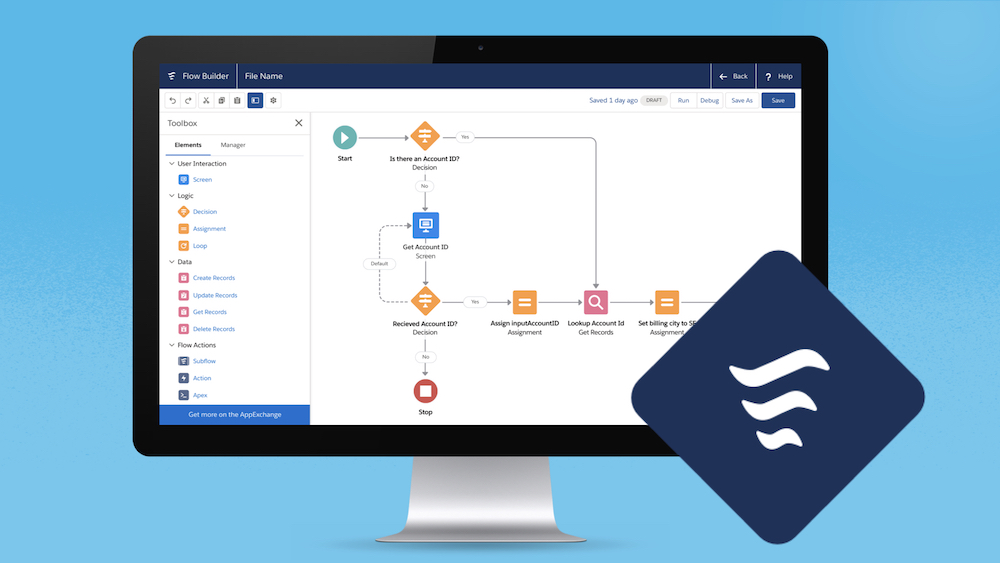
The idea is not to create a bloated Flow (infinite knots and nodes). Your main Flow should function only as a Traffic Controller.
It verifies the scenario and calls a Subflow.
-
Scenario: "Was the Opportunity Closed/Won?"
-
Action: The main Flow calls the "Process Contract" Subflow.
This keeps maintenance clean. If there is an error in contract generation, you only touch that specific Subflow, without the risk of breaking the "Notify Manager" automation sitting right next to it.
But what about "Flow Trigger Explorer"?
Salesforce launched Trigger Explorer and now allows you to define priorities (1, 2, 3...) on Flows. This made many people think the "one flow per object" rule was dead. Be careful.
Just because you can have 20 ordered flows doesn't mean you should. Looking at a list of 20 automations and trying to understand the full business logic is humanly impossible and difficult to document.
Acceptable Exceptions:
-
Managed Packages: Apps you install come with their own flows. There's nothing you can do about that.
-
Isolated Squads: If one team handles only Sales and another handles only Finance on the same object, separating the flows can avoid merge conflicts in Git/DevOps.
The Bottom Line
Centralizing your Record-Triggered Flows isn't about being picky, it's about maintainability.
Your "future self" (or the next admin) will thank you when they need to debug an error and know exactly where the process begins, instead of hunting for a needle in a haystack across 15 loose automations. Use an orchestrator flow, delegate logic to Subflows, and keep the Org healthy.